Guide 4 of 5
Track who owes you
Keep your credit book on your phone, see who owes what, and send a WhatsApp reminder in one tap.
About 2 min
- 1
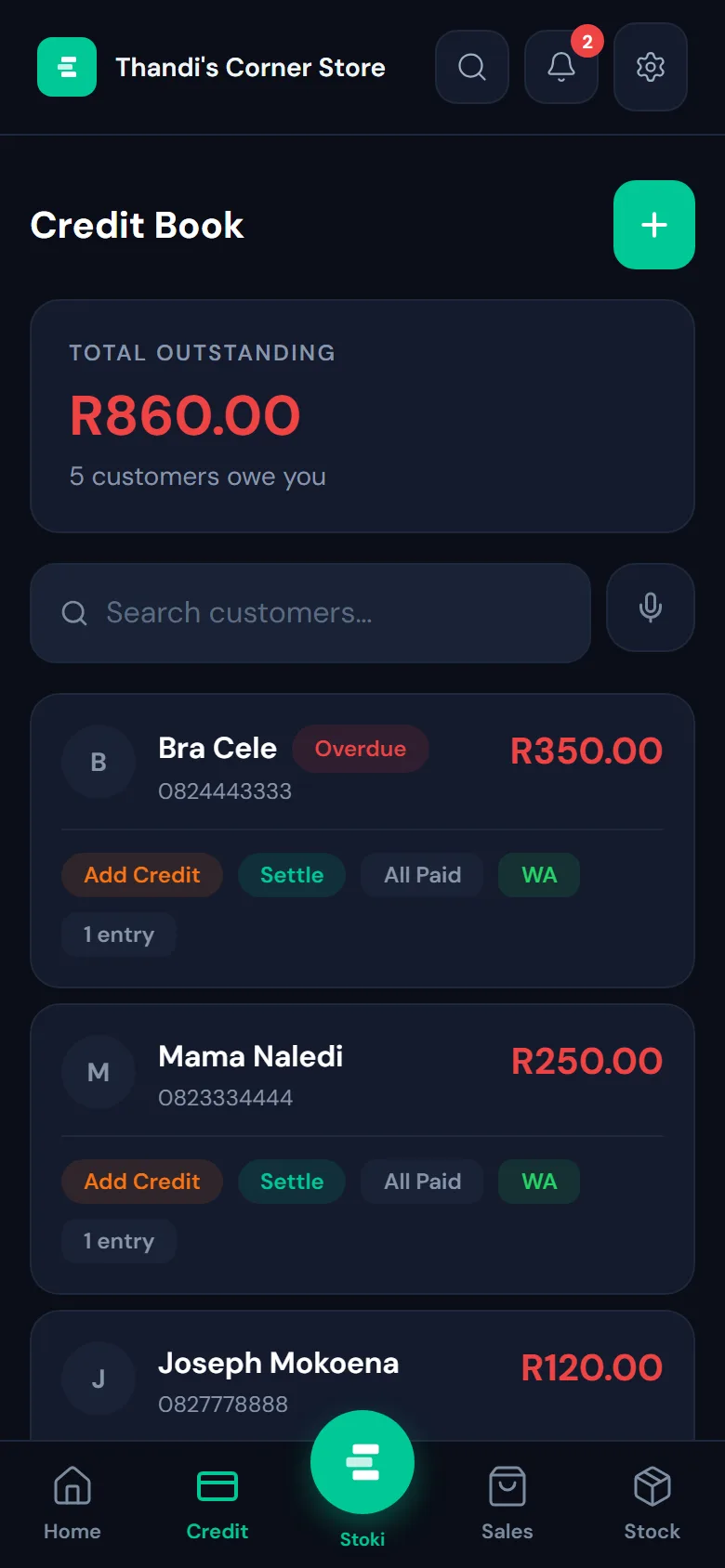
Open your credit book
Tap Credit at the bottom of the screen. The top shows the total you’re owed and by how many customers. Anyone who has owed you too long is marked Overdue.
- 2
Add a customer
Tap the green + and add their name, address and phone number (the phone number is what reminders go to). You can add a photo too, to help you and your staff recognise regulars.
- 3
Record what they took
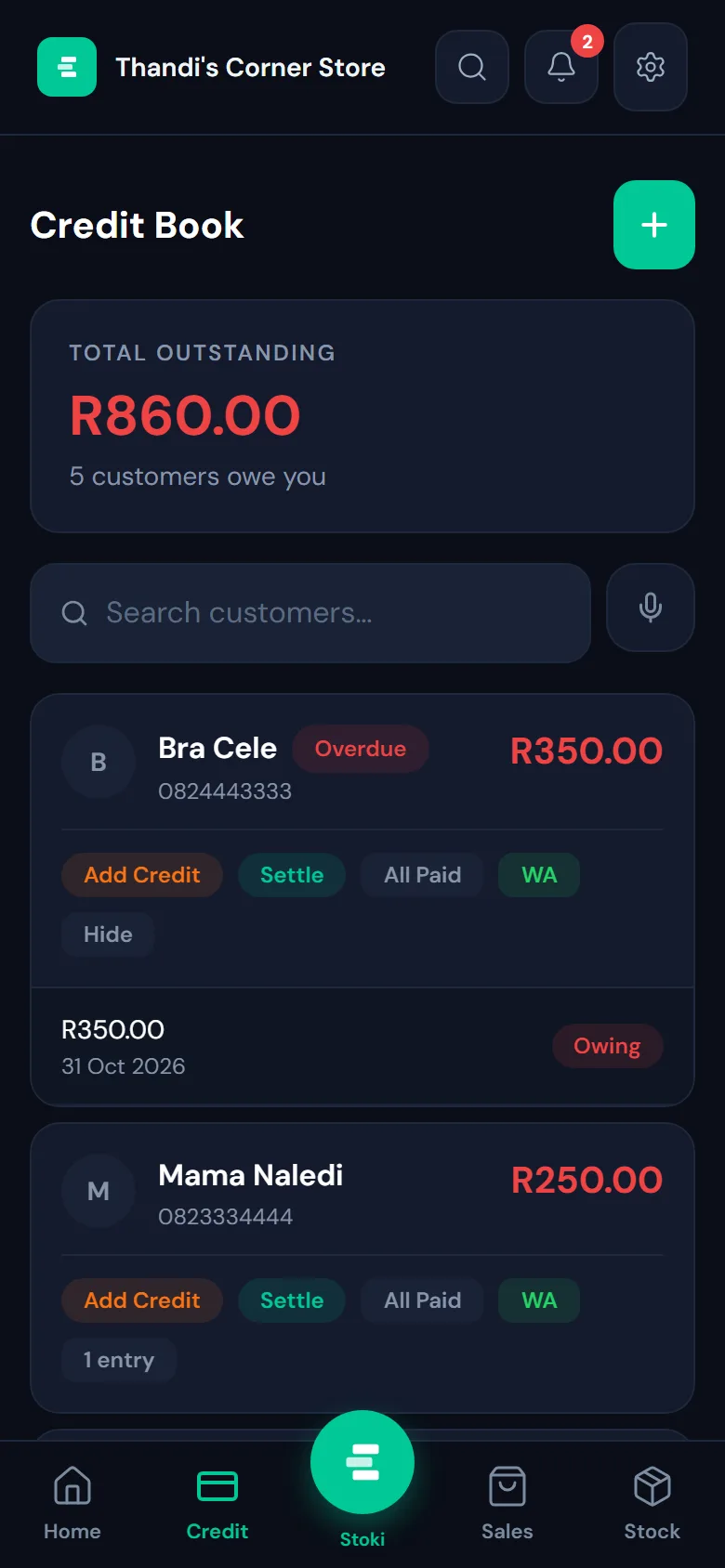
Tap Add Credit on the customer and enter the amount and what it was for. Open their entries to see every amount still owing, with the date.
- 4
Get paid
When they pay part of it, tap Settle and enter the amount. Paid in full? Tap All Paid. To remind them, tap WA: Stoki opens WhatsApp with a friendly message and the amount already written.