Guide 1 of 5
Set up your business
Sign up, add your business details, and find your way around the home screen.
About 3 min
- 1
Create your account
Sign up at stokiapp.com with your email. Stoki works in your phone’s browser, so there’s nothing to install. Add it to your home screen if you want it to open like an app.
- 2
Add your business details
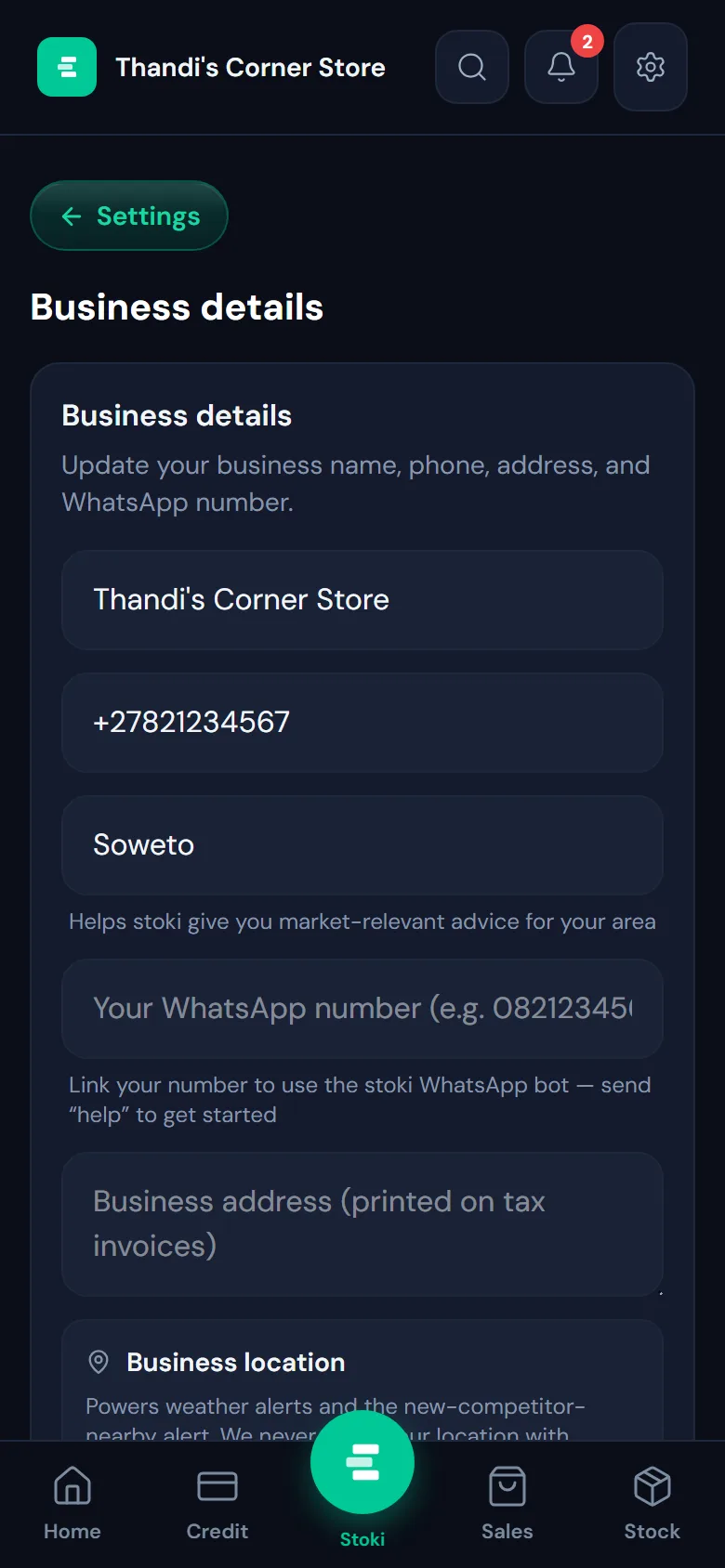
Open Settings (the gear at the top) and choose Business details. Add your business name, phone number and area. The address you add here is printed on your tax invoices, and your area helps Stoki give advice that fits where you trade.
- 3
Get to know the home screen
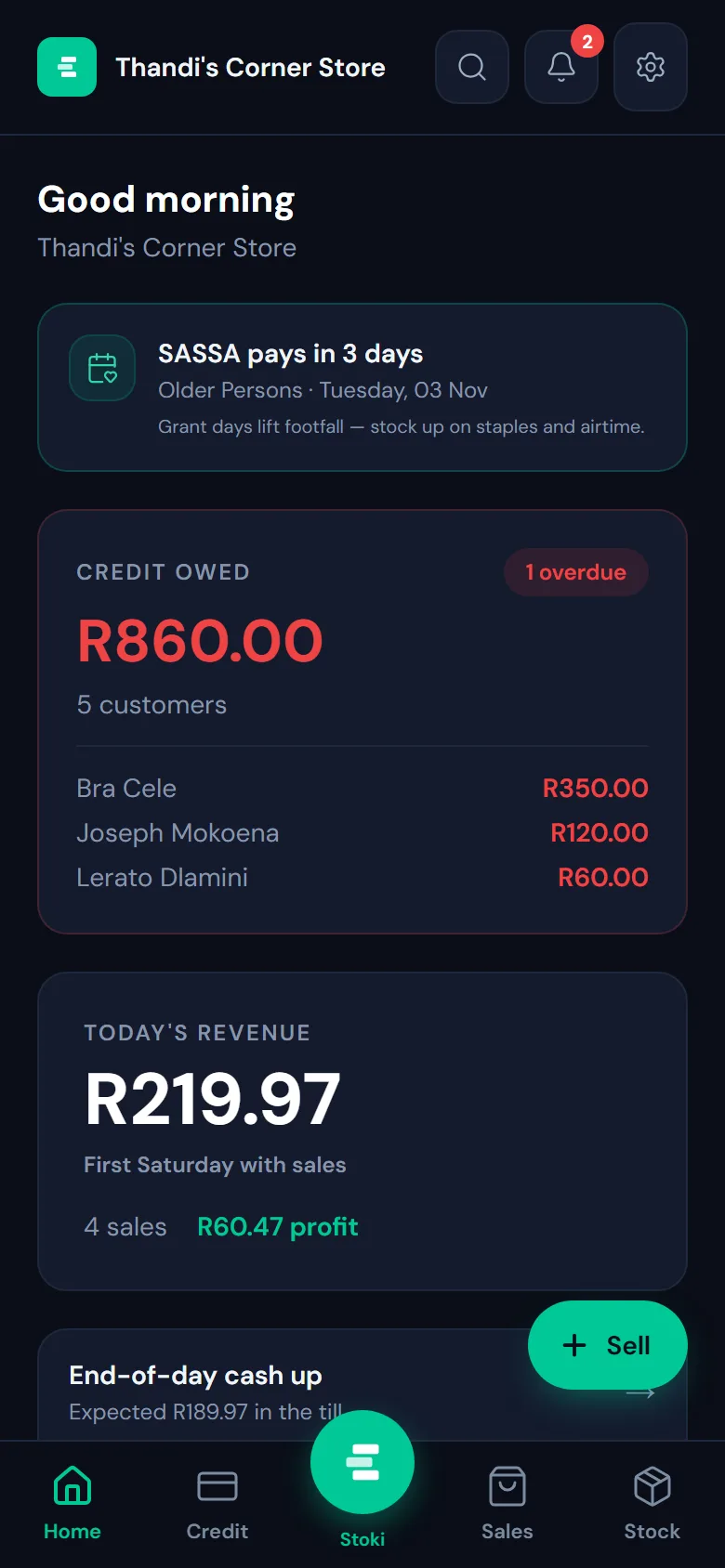
Home shows today at a glance: what you’ve sold and the profit on it, who owes you money, and reminders worth acting on, like grant pay days when more customers come in. The green Sell button is always one tap away.
- 4
Move between screens
The bar at the bottom takes you to Home, Credit, Sales and Stock. The round button in the middle opens Ask AI, where you can ask Stoki about your business in plain words. Search, alerts and settings sit at the top.