Guide 2 of 5
Record a sale
Ring up a sale in a few taps, pick how the customer paid, and keep your stock count right.
About 1 min
- 1
Open Sales
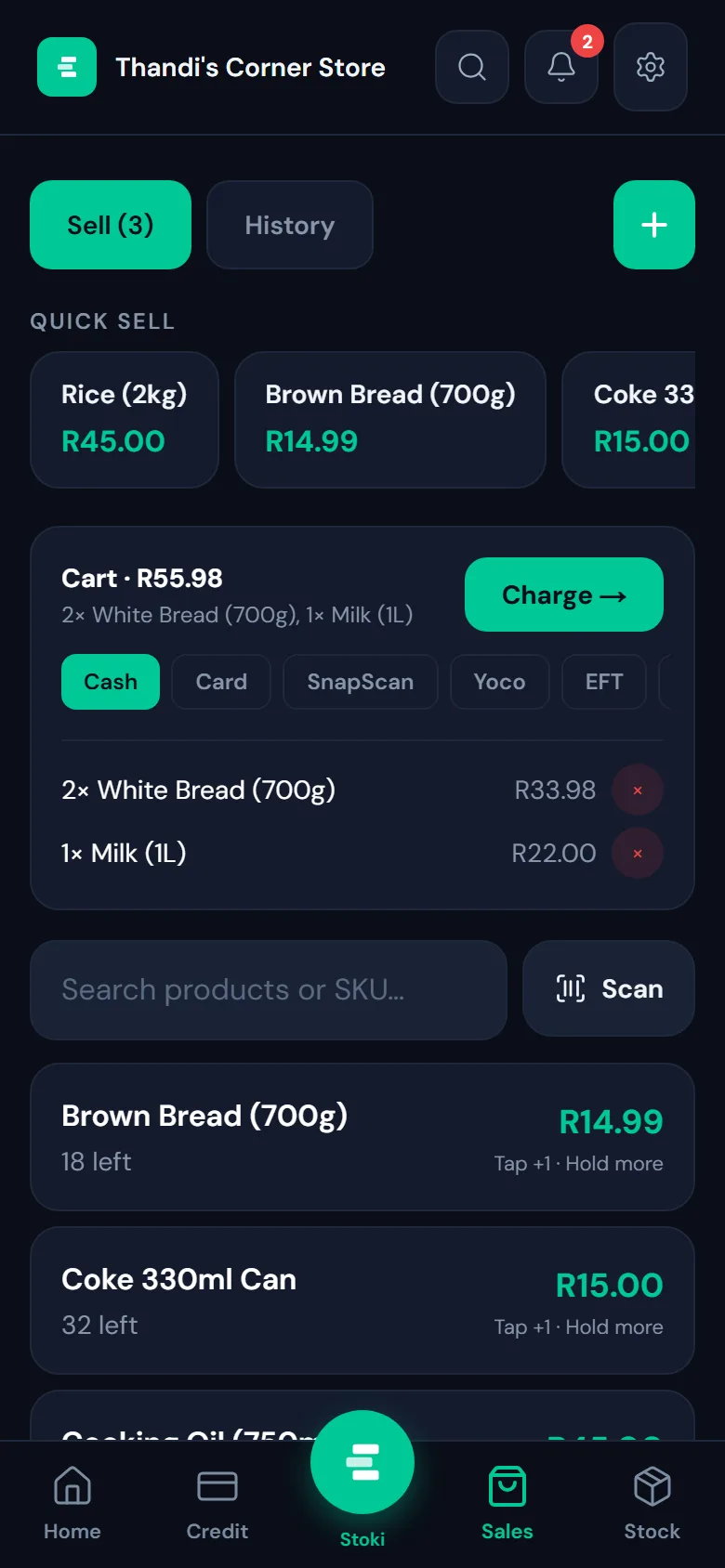
Tap Sales at the bottom of the screen. Your best sellers sit in the Quick sell row at the top, and every product is listed below.
- 2
Tap what the customer is buying
Each tap adds one to the cart; hold to add more at once. Can’t see it? Search by name, or tap Scan to read the barcode with your camera. Stoki shows how many are left as you go, so you never sell what you don’t have.
- 3
Choose how they paid
Under the cart, pick Cash, Card, SnapScan, Yoco or EFT. The cart shows the total and every item before you charge, and the red button next to an item takes it out.
- 4
Tap Charge
The sale is saved, your stock goes down, and today’s total on the home screen goes up. Sold something you don’t keep in stock? Use the + button to add it by name and price.